
This guide will help you use Facebook to promote and sell your offers in a simple and efficient way.
Follow the steps below to create an attractive post, insert the offer link, and promote the post to your target audience. In just a few minutes, you’ll be able to increase your visibility and attract more customers!
Step 1. Copy the offer link.
- Click the Menu button.
- Click on Booking Engine.
- Click on See direct booking.
- Tap the Offers button.
- Tap the Book for another period button.
- Select the validity period of the offer you want to promote and tap Change dates.
- Copy the generated link, similar to the one in the image below.
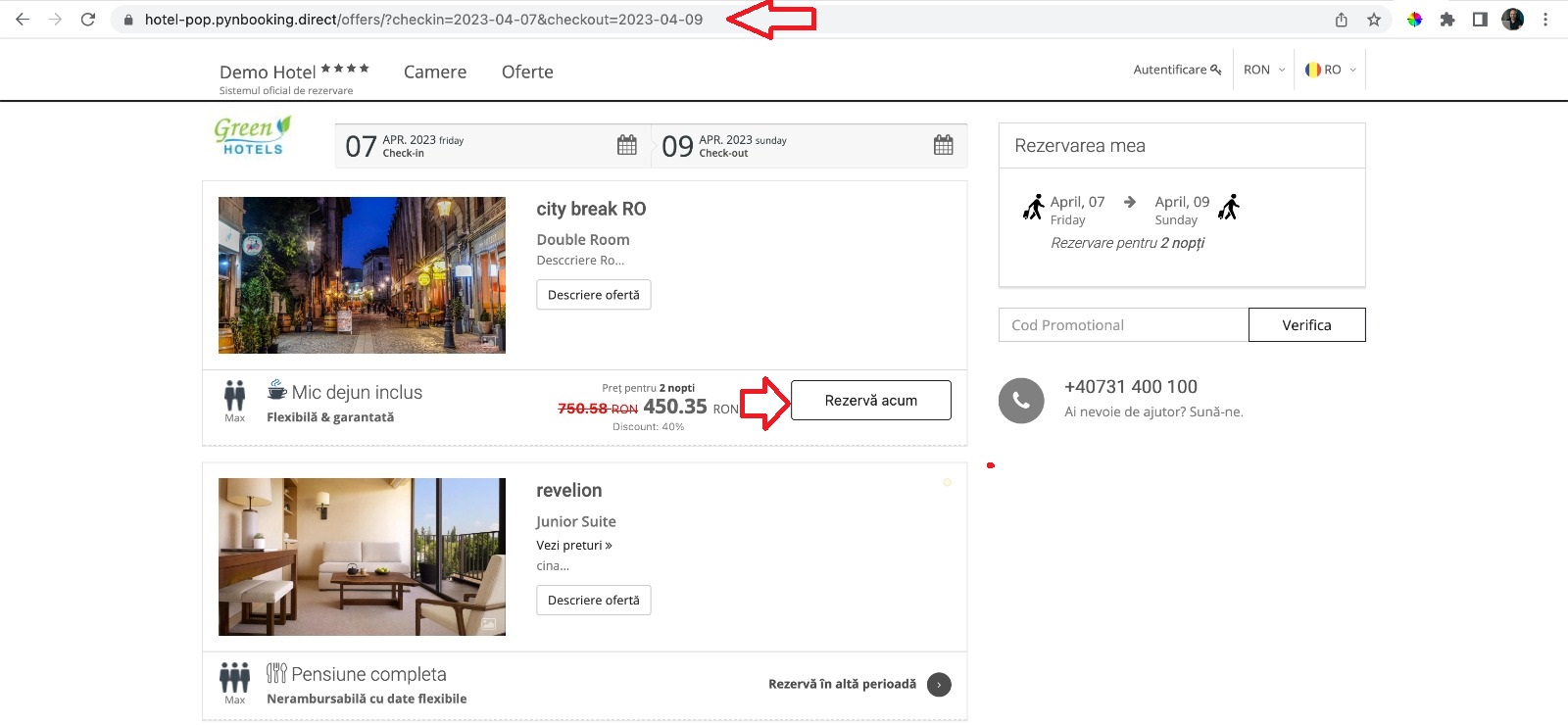
Alternatively, use the link below and customize it to fit your website and offer:
Example: https://yourhotelname.direct/offers/?checkin=offer start date & checkout=offer end date
Step 2. Insert the link into your Facebook page.
- Go to your Facebook page.
- Tap Create a post (a box will open where you can insert the link).
- Insert the link, similar to the image below.

- Delete the link and insert the text from your offer, then tap Post!
.jpg)
✅ Done! The offer is now public on Facebook and ready for promotion through ads!
- Tap the Promote Post button.
.jpg)
- Choose the audience, total budget, duration, and payment method, then tap Promote Post Now.
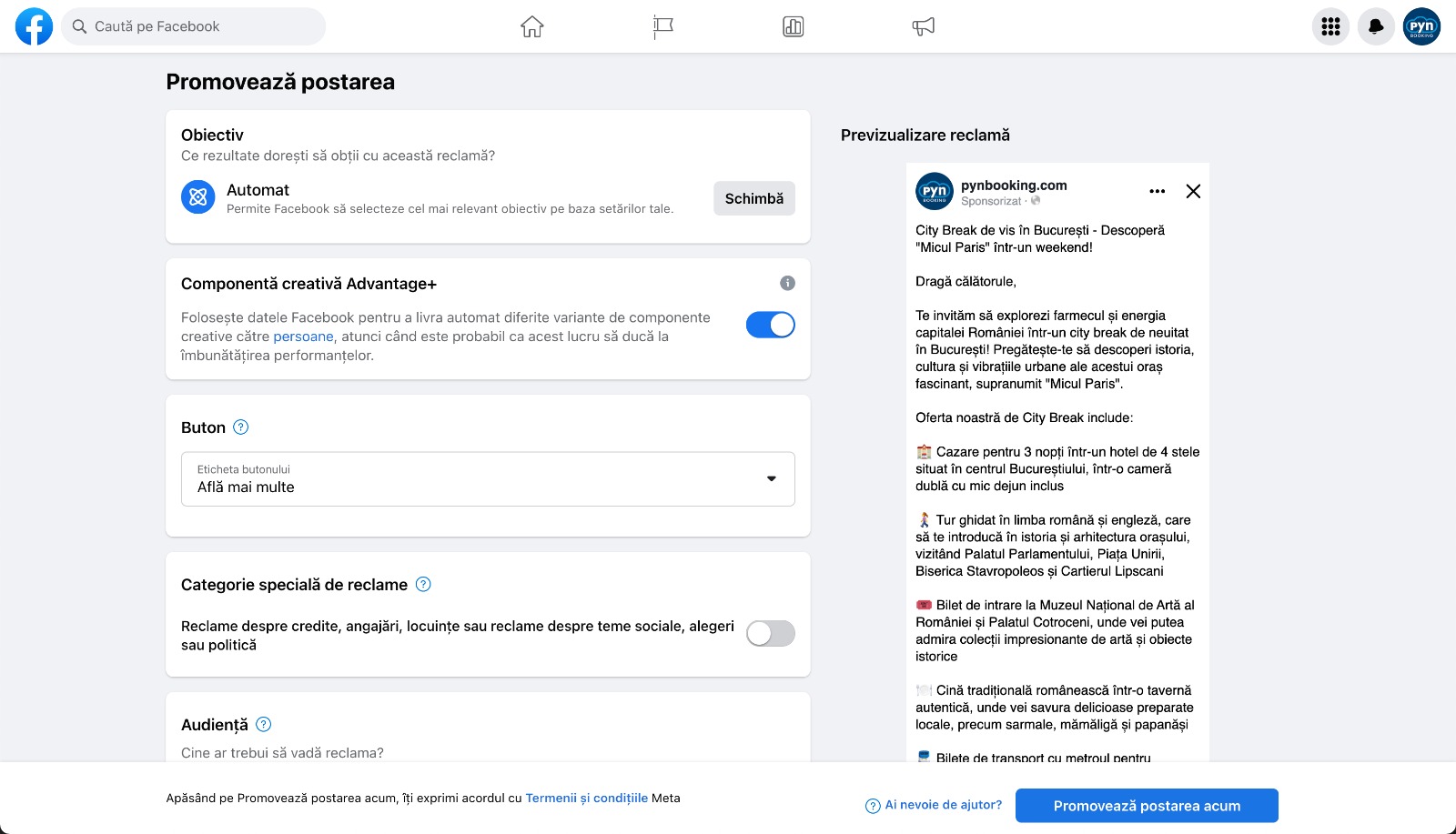
📌 Note: We recommend adjusting your allocated promotion amount based on the desired results.
✅ Done! You’ve added the information for this section!
