
This guide will help you set up a Facebook call-to-action button to attract potential guests and redirect them to your booking engine. Follow these simple steps to integrate the Book Now feature on your Facebook page and optimize the user experience, especially on mobile devices.
A Facebook call-to-action button serves as the first point of communication with your potential guests. It can also redirect them to your booking engine to book a room at your property, making it an excellent solution, particularly for mobile users.
❗ The Book Now button is no longer available for external links and is reserved for tools connected to Facebook. Before adding a booking button, ensure that your Facebook page type is a business page, not a personal profile. The Booking Engine link cannot be added to a personal profile. Learn more about Facebook profile and page types here.
Copy the link from the Booking Engine
- Click on the Menu button.
- Access the Booking Engine.
- Copy the link generated by the system.

Add the link to the button on Facebook
On your Facebook page:
- Click on the three small dots (⋯) below your page's cover photo. If a call-to-action button has been previously configured, simply click the button and select Edit.
- Click Edit Action Button. Note that the names of the action buttons may vary slightly depending on your current version of Facebook.
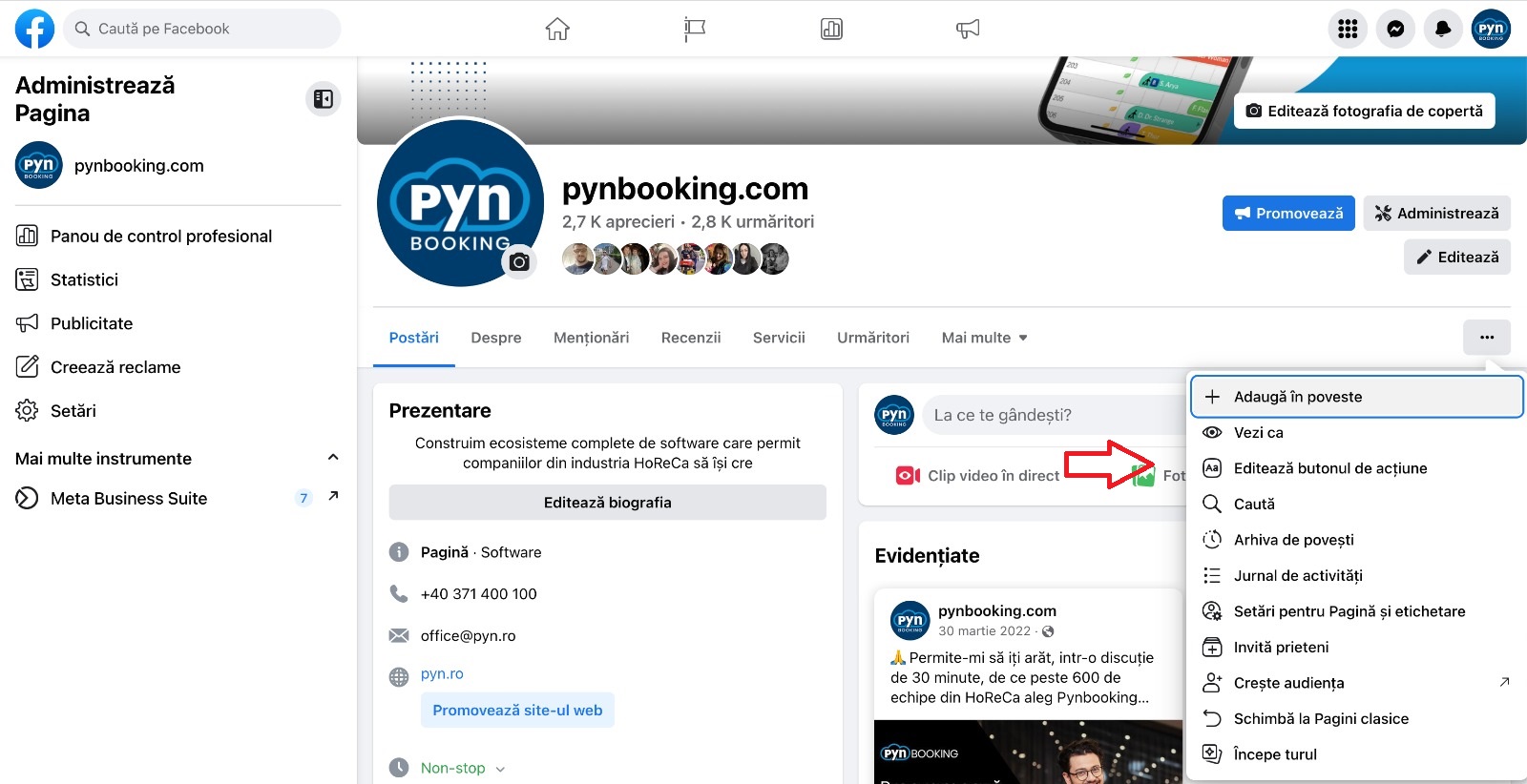
- Select an action button. Choose Contact Us or Learn More (under the "Link to your group or app" section), as these allow you to create a link to a website.
- Add the URL of your booking engine, as shown in the image below.
.jpg)
- Click Save.
Potential guests will now see the action button on your Facebook profile. By clicking this button, they will be redirected to your Booking Engine.
✅ Done! You’ve completed the information for this section!
